Team
Jonathan Sewall: Principal Programmer, CTAT (primary collaborator)
Vincent Aleven: Research Advisor, Carnegie Mellon University
Designed For
Educators, learning scientists, and researchers who author intelligent tutoring content at scale
(Learn Lab, Carnegie Mellon University)
Timeline
8 Months | May 2025 - January 2026
My Role
Led design prototyping and user testing, and engineered early-phase implementation.
Tools + Technologies
Figma, Vue.js, JavaScript, GitHub, Think-aloud testing
Context
The Learn Lab at Carnegie Mellon University develops AI-based learning technologies, including CTAT (Cognitive Tutor Authoring Tools), a platform that enables educators to author intelligent tutoring systems without deep programming expertise. Within CTAT, the Mass Production tool supports AI-assisted bulk generation of tutoring problems, enabling AI tutors to scale across classrooms, courses, and research studies.
Problem
Workflow is fragmented, manual, and easy to lose progress in, slowing authors down.
Current Mass Production Workflow: Pain Points

Solution
Four authoring features that are faster, clearer, and more resilient.

Enhance Mass Production UI & Action Hierarchy
Reorganized primary actions and simplified inputs to make prompt authoring faster, clearer, and easier to navigate.


Guided Prompt-to-Table Workflow with Clear System Feedback
Improved reliability and trust during AI-assisted generation by clarifying system states, next steps, and progress.

Save & Load Prompt Authoring with Reusable Templates
Enabled authors to save, organize, and reload prompt templates to support iteration and reuse across sessions.

Auto-Sync
Designed a future-state syncing experience that reduces manual steps while preserving user control, clarity, and trust during AI-assisted content generation.
Phase 1: Improve Prompt Authoring Workflow & Reduce Manual Effort

End-to-End Interaction Flow (Coded)

A diagram of the improved prompt-authoring flow, detailing Save/Load/Reset actions, safeguards, and clearer system feedback.
Phase 2: Designing Automatic Syncing & Guided Authoring
Phase 2 focused on designing an auto-sync and guided sync experience to reduce friction while maintaining user control and transparency.
Define Use Cases
Prototype Sync Flows
Explored auto-sync and guided sync concepts through flow diagrams and high-fidelity prototypes.

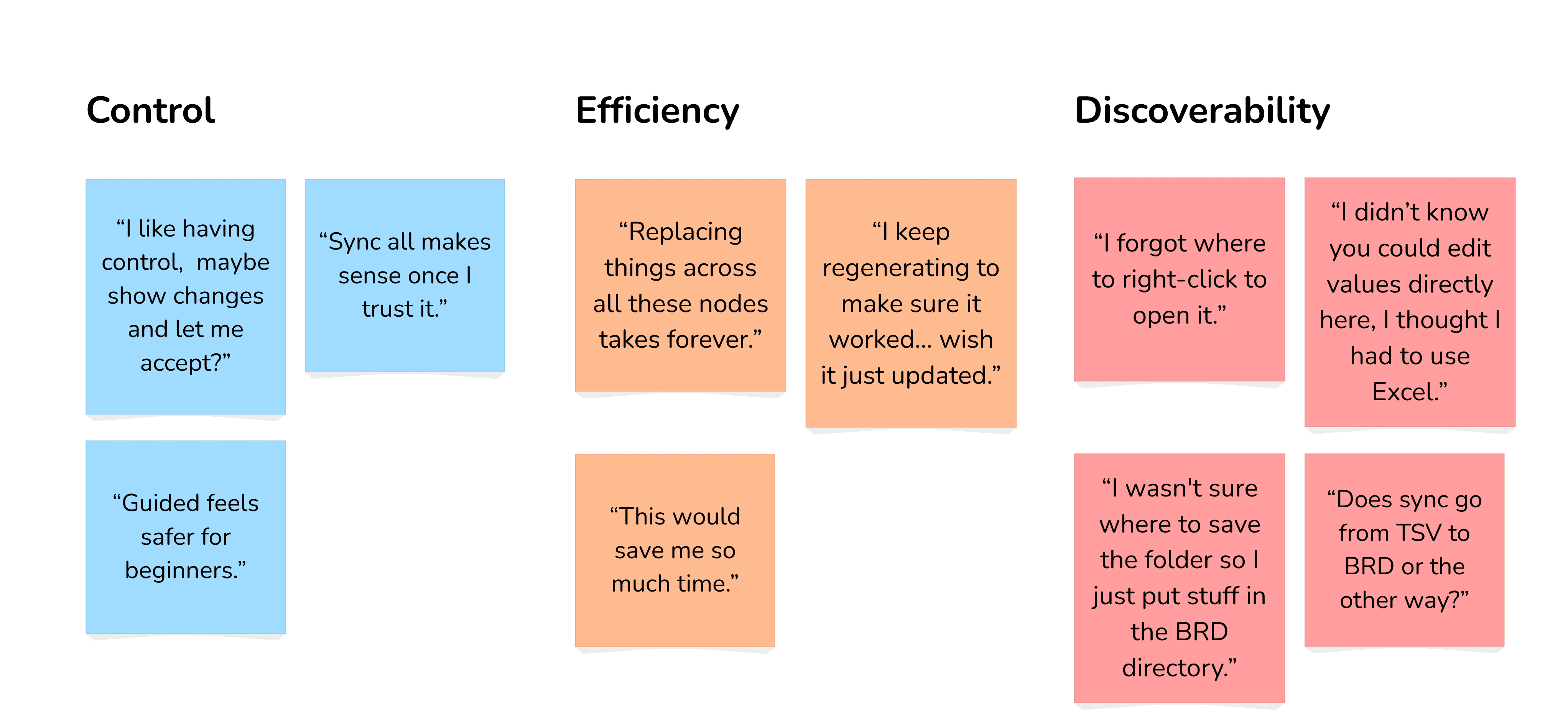
Think-A-Louds & Affinity Diagramming
Automation must reduce effort without removing user control or transparency.
During think-aloud sessions with student authors, users consistently responded positively to Sync All as a fast way to get started, but hesitated when they couldn’t see what the system was changing.
Iterate & Final Hi-Fi Prototype
Refined interactions, system feedback, and decision points to produce a validated future-state sync flow.

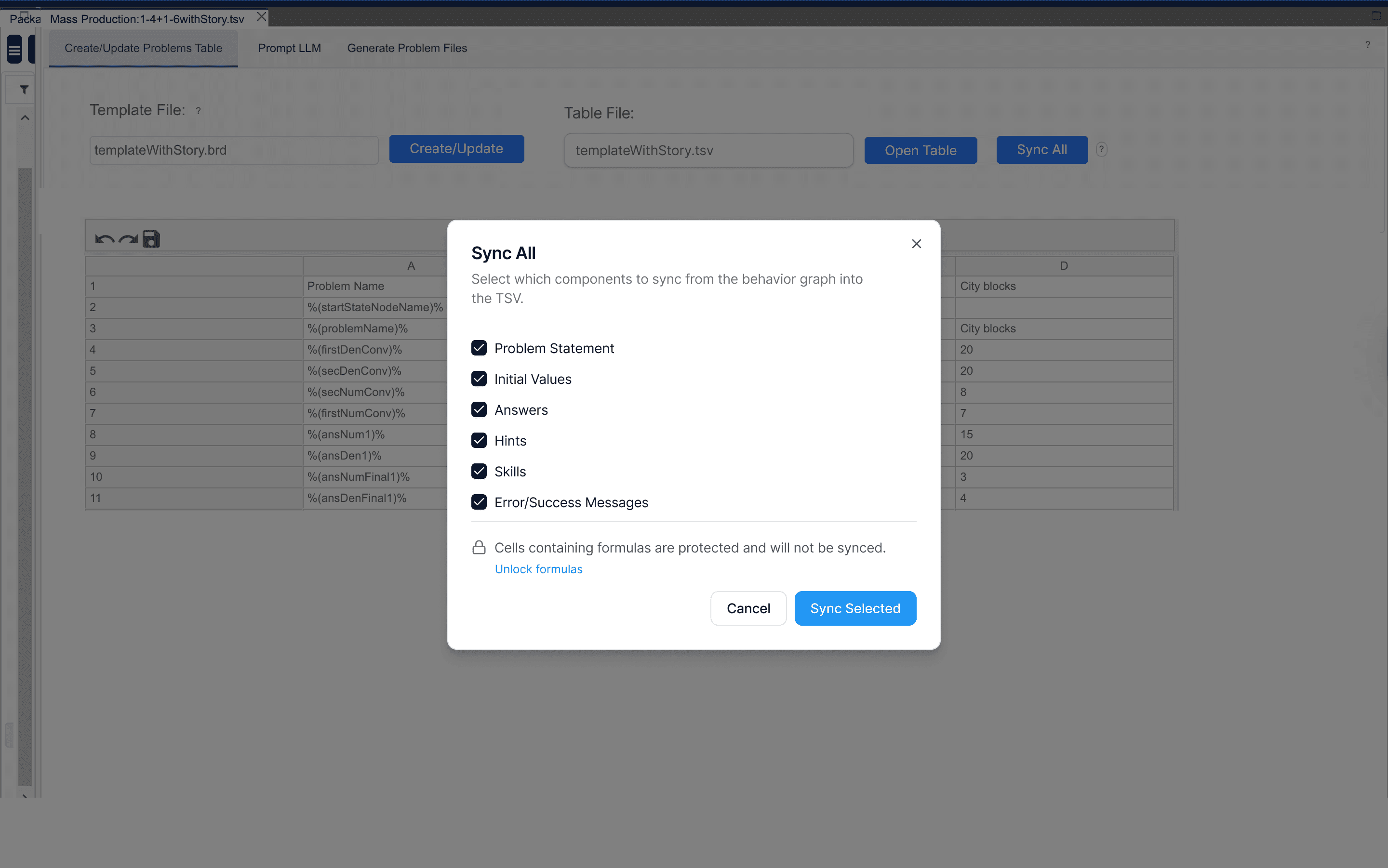


Final Key Features

Main Insight
Bulk automation in learning tools only works when users can see exactly what will change and intervene at the right moments.

Users need visibility, control, and guidance to confidently manage automated workflows.
Next Steps + Future Work

Extending Mass Production's LLM Integration
Expand the workflow to support multiple AI providers, improve transparency, and give authors greater control over automation.
Lessons Learned

Perceived Impact
Educators and learning researchers can more easily create and iterate intelligent tutoring systems, reducing technical barriers and accelerating the deployment of adaptive learning experiences.
Acknowledgments
This project was completed as part of my work in the LearnLab at Carnegie Mellon University, under the guidance of Professor Vincent Aleven. I collaborated closely with the Principle Programmer Jonathan Sewall, whose mentorship and feedback helped shape the design and development of the CTAT Mass Production tool.